
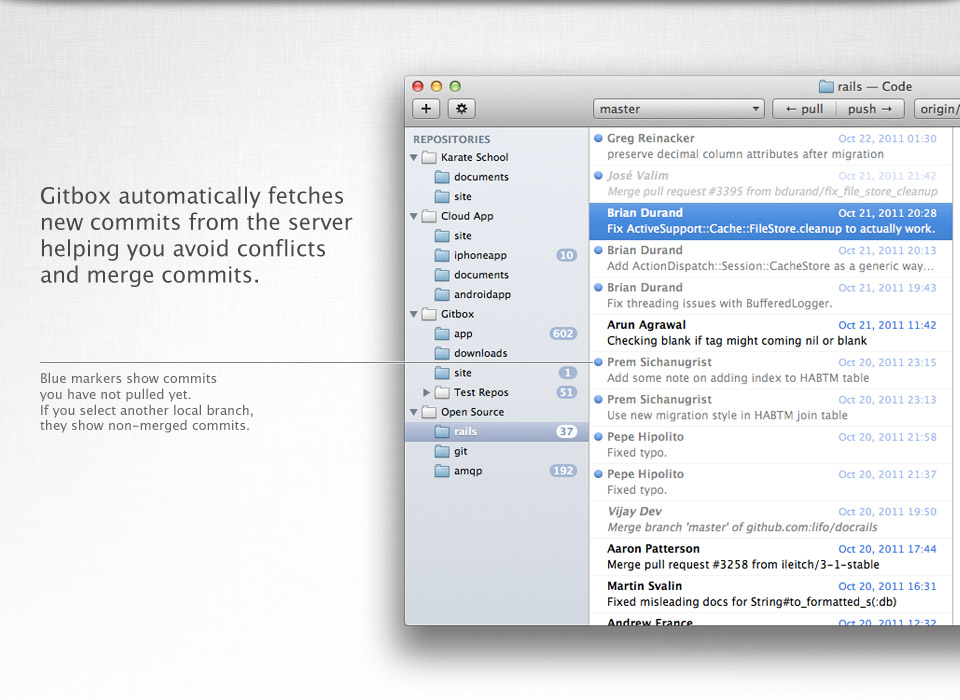
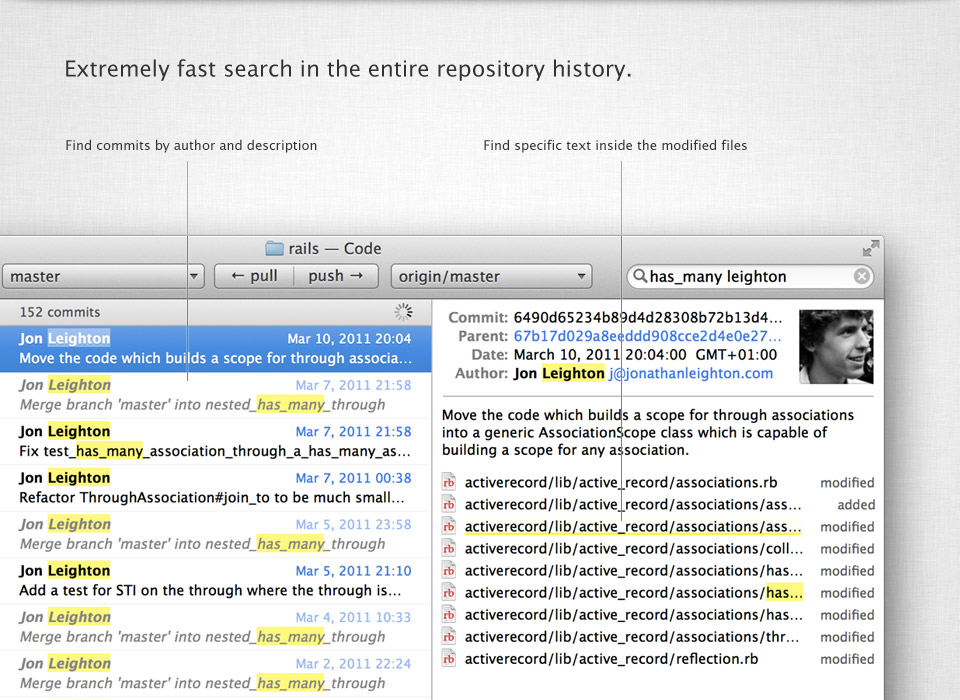
One-click commit, push and pull. Unique search in history and undo for Git commands.
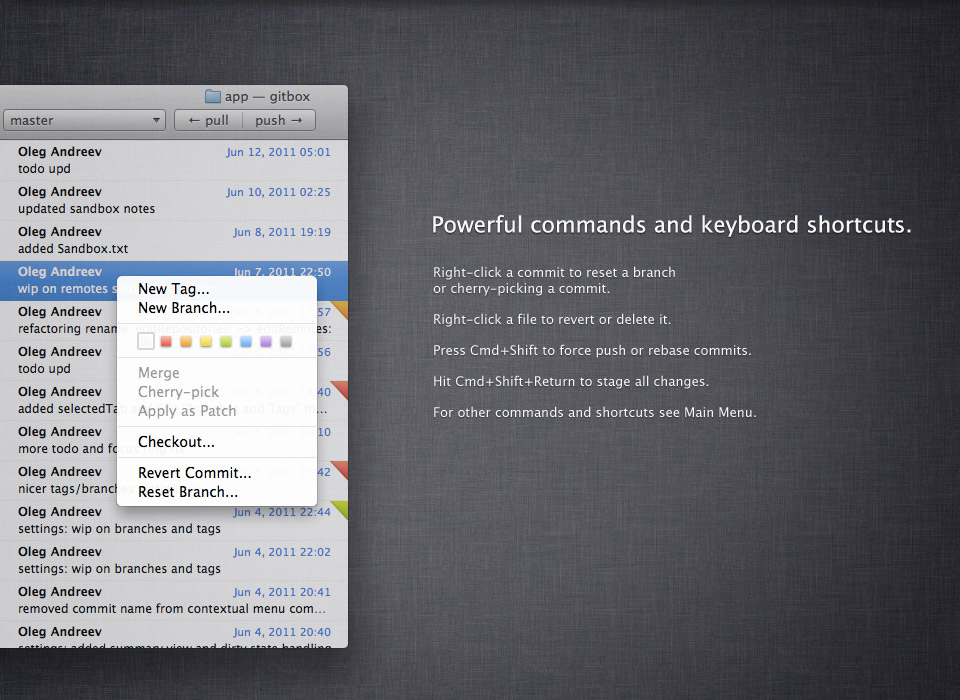
Powerful commands like rebase, branch reset and cherry picking.
And now it works with submodules.
$14.99
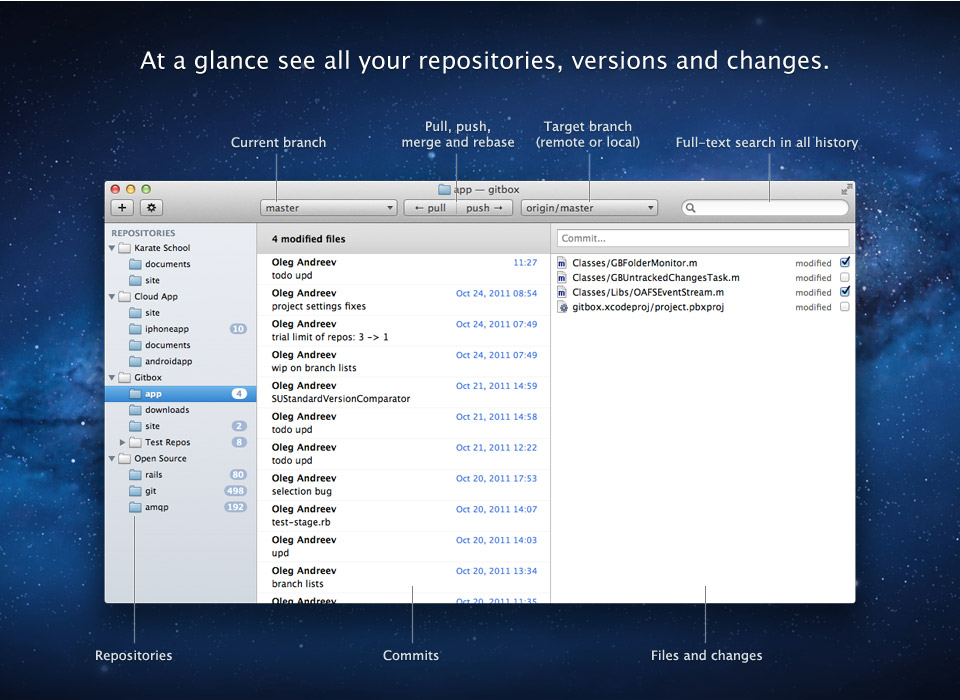
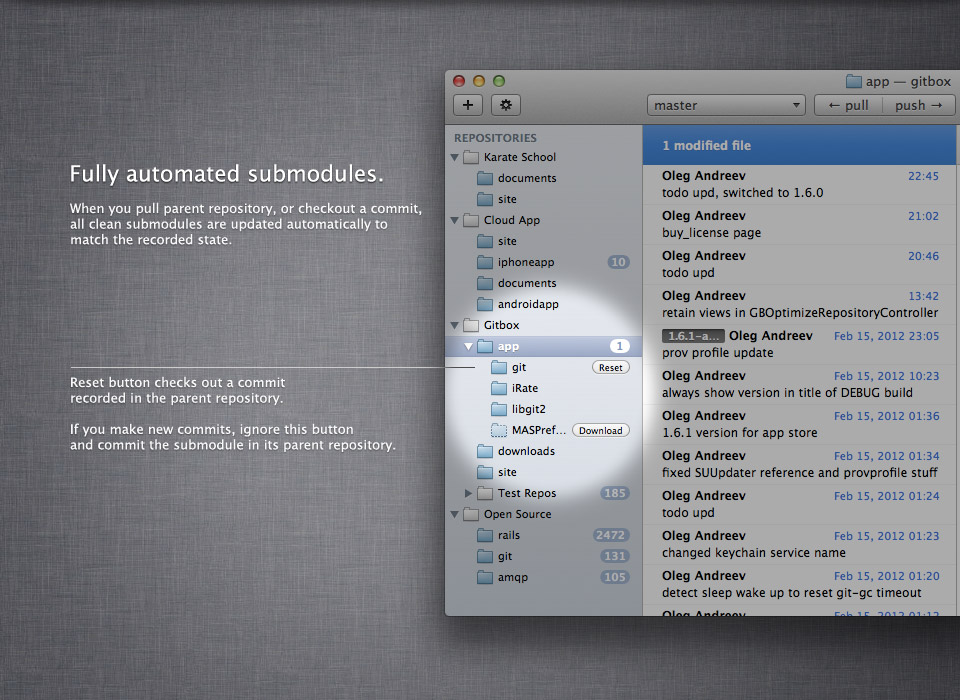
Gitbox integrates with popular diff tools such as Xcode FileMerge, Kaleidoscope, Changes, DiffMerge.
Use keyboard for ultimate efficiency. Use arrow keys to jump between all the panes and lists.
To stage all files, hit Cmd+Shift+Return. To stage/unstage selected files, use "S" shortcut.
To pull and push, use "U" and "P" shortcuts. Press Option key to perform fetch. Press Cmd+Shift to force push or rebase.
Right click menus contain all the advanced features you might need. For instance, to reset a branch, cherry pick a commit or revert a file.
To amend a commit, simply undo it (cmd+Z). You can also undo merge, pull and even push.
To find a bug, use color labels. Check out a commit, test it and mark if it works or not. This is a much better and visual approach than git-bisect.
“Version control outside the Terminal is usually a clusterfuck. Gitbox looks the most straightforward that I've seen thus far.”
Mark Otto, UI designer at Twitter.
“I’ve started really, really liking Git since getting Gitbox. Nice, clean, simple, works.”
Wil Shipley, Cocoa Legend.
“Finally a glorious Mac app for managing Git repositories. Thank the lord!”
Brennan Novak, designer, musician, developer.
“[Gitbox isEqualTo:Awesome];”
Calvin W. Stephens IV, software developer and designer.
Requirements
Mac with 64-bit processor.
OS X Lion or Snow Leopard.
For Snow Leopard users: libcurl 7.0.0 or later (must be in /usr/lib).
1. Install the latest Xcode from App Store.
2. In Xcode Preferences: download and install Command Line Tools.
3. In Terminal: sudo /usr/bin/xcode-select -switch /Applications/Xcode.app/Contents/Developer
How to buy
Gitbox is offered on both Mac App Store and with an old-school license. Both builds are the same and distributed on the same conditions: the license is for personal use, on any number of machines. Updates are free.
Students are offered 50% discount coupon (a scan of student ID required).
There is a discount for volume purchases. Drop us a line for details.
Support
Ask a question by email oleganza@gmail.com or using twitter @gitboxapp.
Gitbox is designed by Oleg Andreev, a software designer from Paris, France.